Give clients the edits they need—and nothing they don’t.

Clients update compatible Elementor text in wp-admin. Your team keeps control of the builder, layout, styling, and responsive settings.

FREE SCOPE Supported text controls in native Elementor + Elementor Pro widgets, plus optional role-based Elementor editor restriction. Included in Pro.

Download Free on WordPress.org

Use Free when the site mainly relies on native Elementor text surfaces.

FREE + PRO

Keep clients out of the Elementor builder

Choose which WordPress roles can use Editly, then optionally make Editly the only Elementor content editor available to those selected non-administrator roles.

Clients keep editing supported content through Editly while the builder, layout, styling, and responsive settings stay outside their workflow. Administrators always retain full Elementor access.
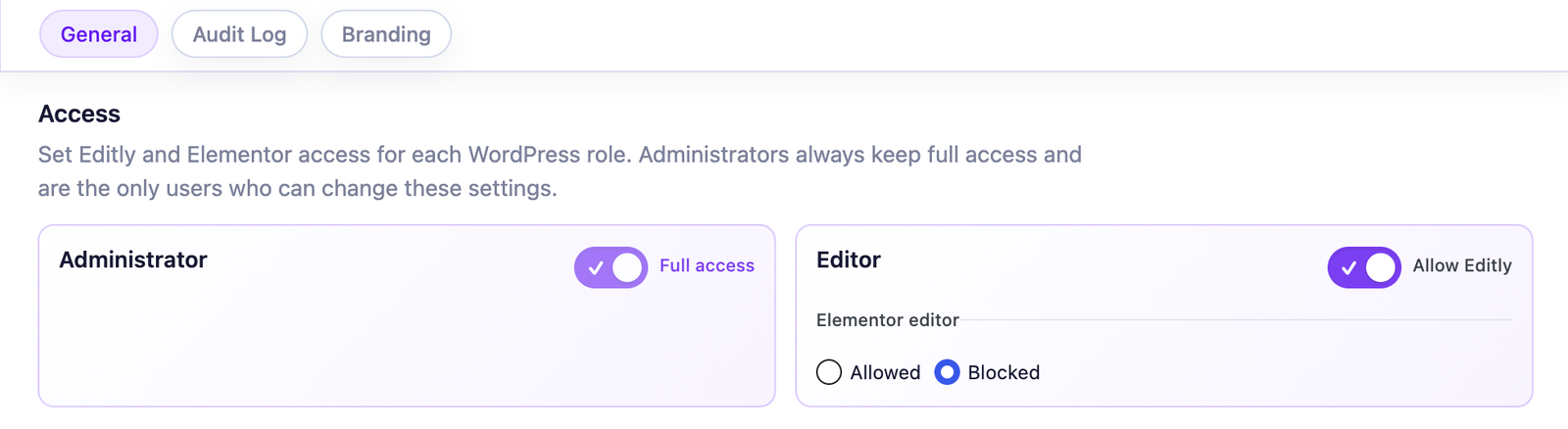

Included: Free + Pro · Disabled by default · Configured by role

Read the exact access behavior

Editly role-based access settings showing Elementor editor blocked for the Editor role

FREE + PRO

Layout-safe edit limits

Editing stays focused on safe fields, not structure. Containers, spacing, and style decisions stay under your team's control.

This prevents layout breakage when clients need fast text updates on SEO and service pages.

Where it helps: SEO iteration, launch week

Editly text length increase limit setting for layout-safe Elementor content editing

FREE + PRO

Native Elementor text controls

Free includes supported text, textarea, WYSIWYG, and number controls in native Elementor and Elementor Pro widgets for routine copy edits in wp-admin, across draft, private, and published pages.

It gives teams a clear scope for delegation before moving to broader third-party widget coverage.

Where it helps: Clear scope for ongoing content updates

Native Elementor scope Text-facing widgets
Heading Text Editor Button Image Box Icon Box Icon List Testimonial Tabs Accordion Toggle Alert Form Login
Posts Slides Price Table Call to Action Testimonial Carousel Table Of Content Countdown Reviews Product Title Product Price Add To Cart Checkout

These are widget contexts, not a promise that every dynamic value is directly editable. Free stays focused on supported controls exposed by native Elementor and Elementor Pro widgets.

Need broader coverage, agency branding, or change accountability? That's Pro.

Give clients a safe editing space while keeping Elementor under control.

Pro keeps the same safe editing core and adds third-party widgets, White Label, local history, updates, and priority support.

PRO SCOPE Edit more Elementor and third-party widget text without opening the builder. Brand the editing experience for each client. Keep a complete local history of every content change.

View Pro plans

Choose Pro when client-editable content lives in add-on widgets, or when you need White Label, change history, and priority support.

PRO

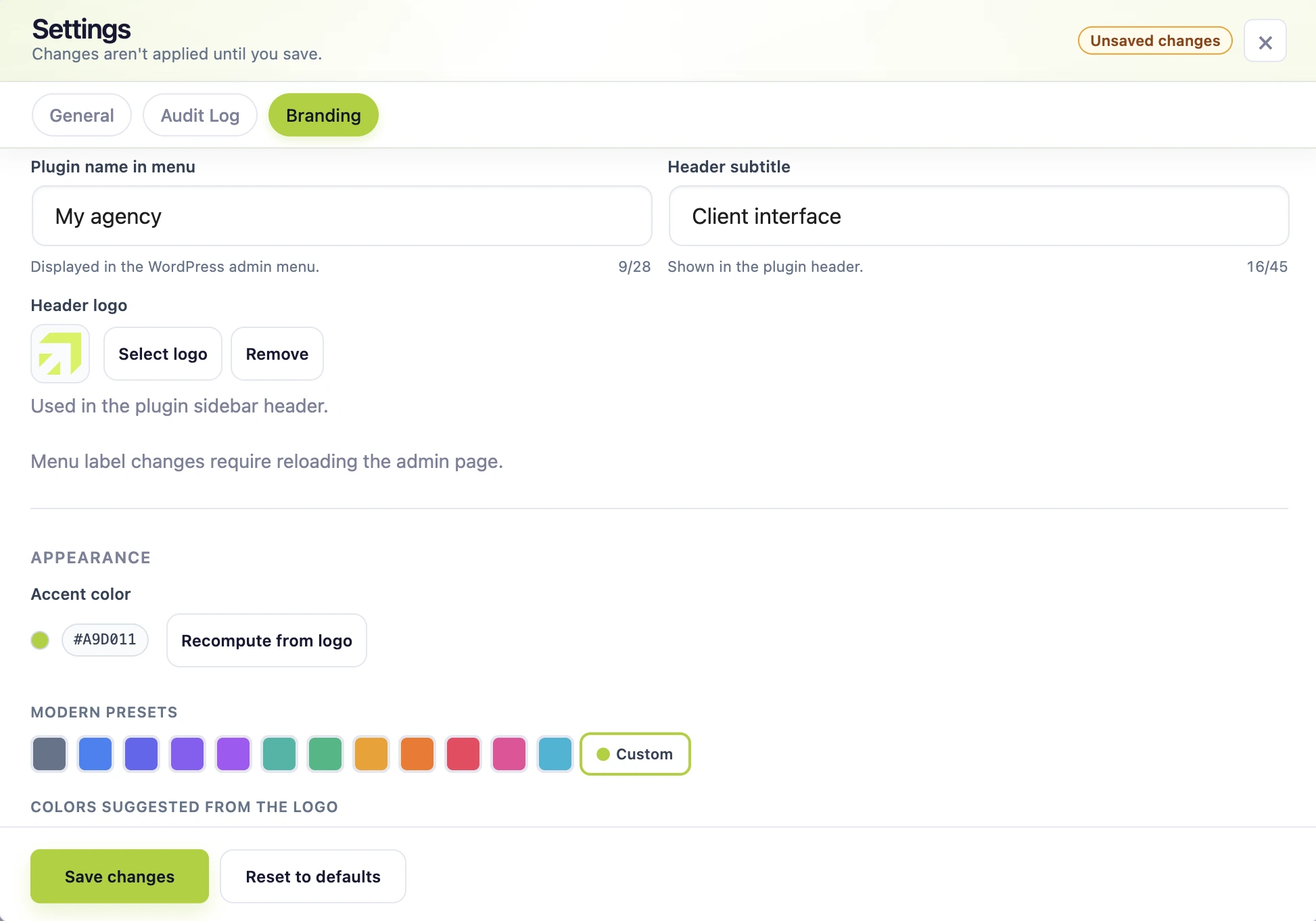
Brand the editing experience for each client

Brand Editly’s menu and editing interface with your agency name, baseline, header logo, and primary accent color. The interface derives its supporting states from that visual direction, so the client workflow stays coherent without manual styling work.

In a few settings, Editly becomes your own client editing environment rather than a generic plugin screen, consistently across every client site.

Where it helps: Client experience, brand consistency

Editly Pro Branding settings showing the agency menu label, header subtitle, logo, accent color, presets, and logo-derived color suggestions

PRO

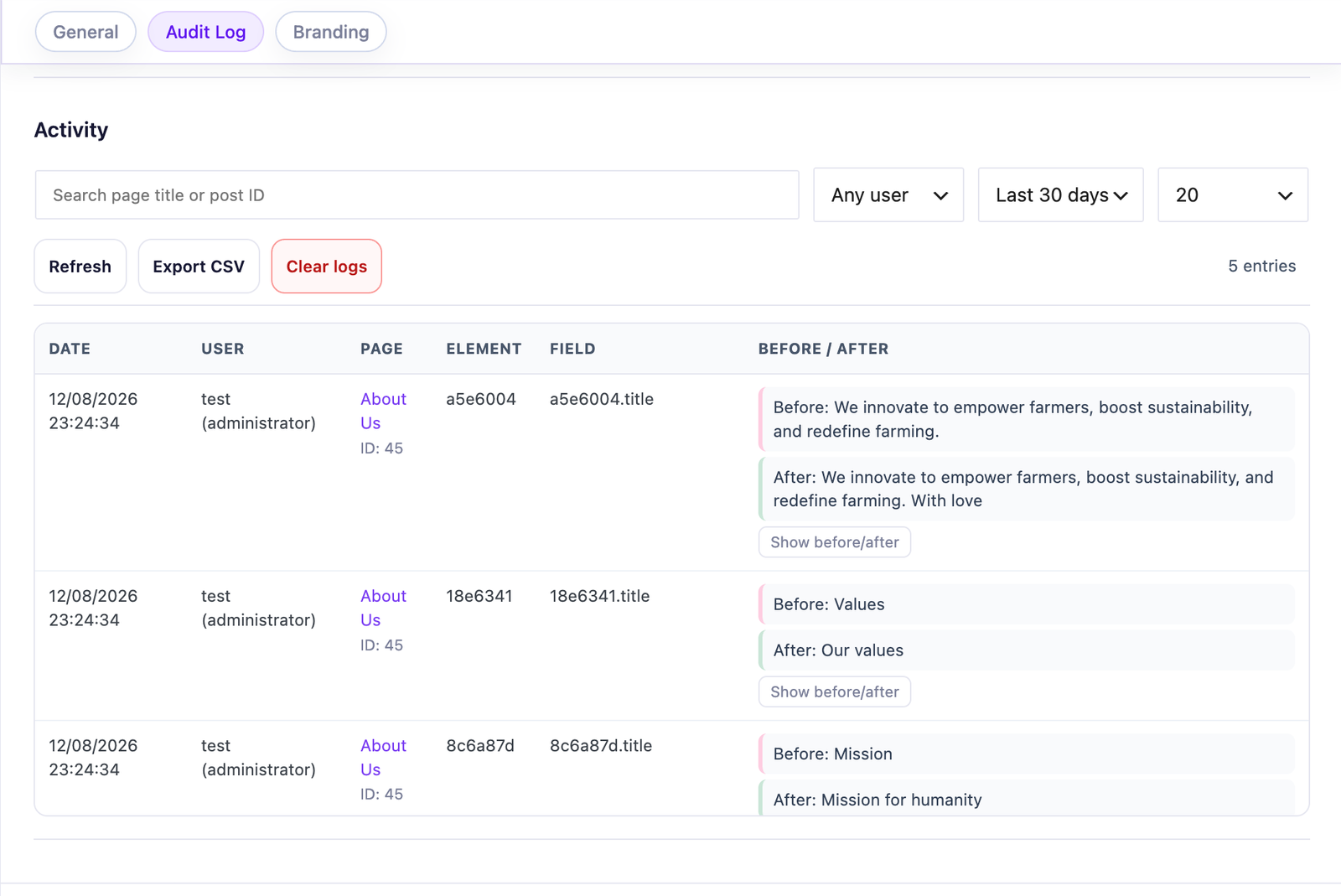
Keep a complete local history of every content change

Track who changed what, where, and when on Elementor text edits with a local WordPress-backed log.

Teams get an audit-ready history for accountability, faster QA, and less ambiguity when client feedback starts with "something changed."

Where it helps: Team accountability, QA checks

Editly Pro audit log showing content changes with before and after values

PRO

Edit more Elementor and third-party widget text without opening the builder

Pro does not rely on a widget allowlist or one integration per add-on. Its universal engine recursively inspects stored values, maps them to the DOM of the same Elementor widget and keeps values that demonstrably produce visible text through a persistent save path.

This lets Editly recognize compatible content even when the widget, control or field name is unknown. Structural, hidden and non-text values are excluded; the ecosystems shown are examples rather than a closed certification list, and highly custom or dynamic output should still be validated on critical pages.

Where it helps: Multi-client operations, mixed widget ecosystems, custom builds

Pro extension layer Popular add-on stacks
Essential Addons for Elementor
Essential Addons
ElementsKit Elementor add-ons
ElementsKit
Crocoblock Elementor add-ons
Crocoblock
PowerPack Elementor add-ons
PowerPack
Ultimate Addons for Elementor
Ultimate Addons
Qi Addons for Elementor
Qi Addons
The Plus Addons for Elementor
The Plus
Unlimited Elements for Elementor
Unlimited Elements

Non-exhaustive ecosystem examples, not a per-widget certification list. Free stays deliberately focused on native Elementor and Elementor Pro widgets. Pro is designed to cover a broad practical range of configurations across themes and third-party widgets through one universal engine, not one integration per widget. The core save workflow still benefits from protected text growth and stale-edit detection; validate custom or dynamic controls on critical pages, and contact us if an uncommon stack needs support.

Need stronger governance for real client stacks? Compare scope, then choose your plan.

Free covers native Elementor content. Pro adds third-party widgets, White Label, and change history.

Editly contact

How can we help?

What do you need?

Choose a topic so your message reaches the right place.