Elementor white label handover for agencies: a practical framework
A branded editing screen can make handover feel deliberate, but only when the labels, permissions, and training all tell the same story. Here is what Editly’s white-label layer actually changes—and what it does not.
Agencies usually document scope carefully, but clients still get lost after launch. The issue is not effort. It is interface signal. If the back office shows too many advanced controls, clients assume everything is editable and support loops begin.
A cleaner handover needs two layers: visible simplicity for the client and stable governance for the agency.
Why white label matters for Elementor client editing
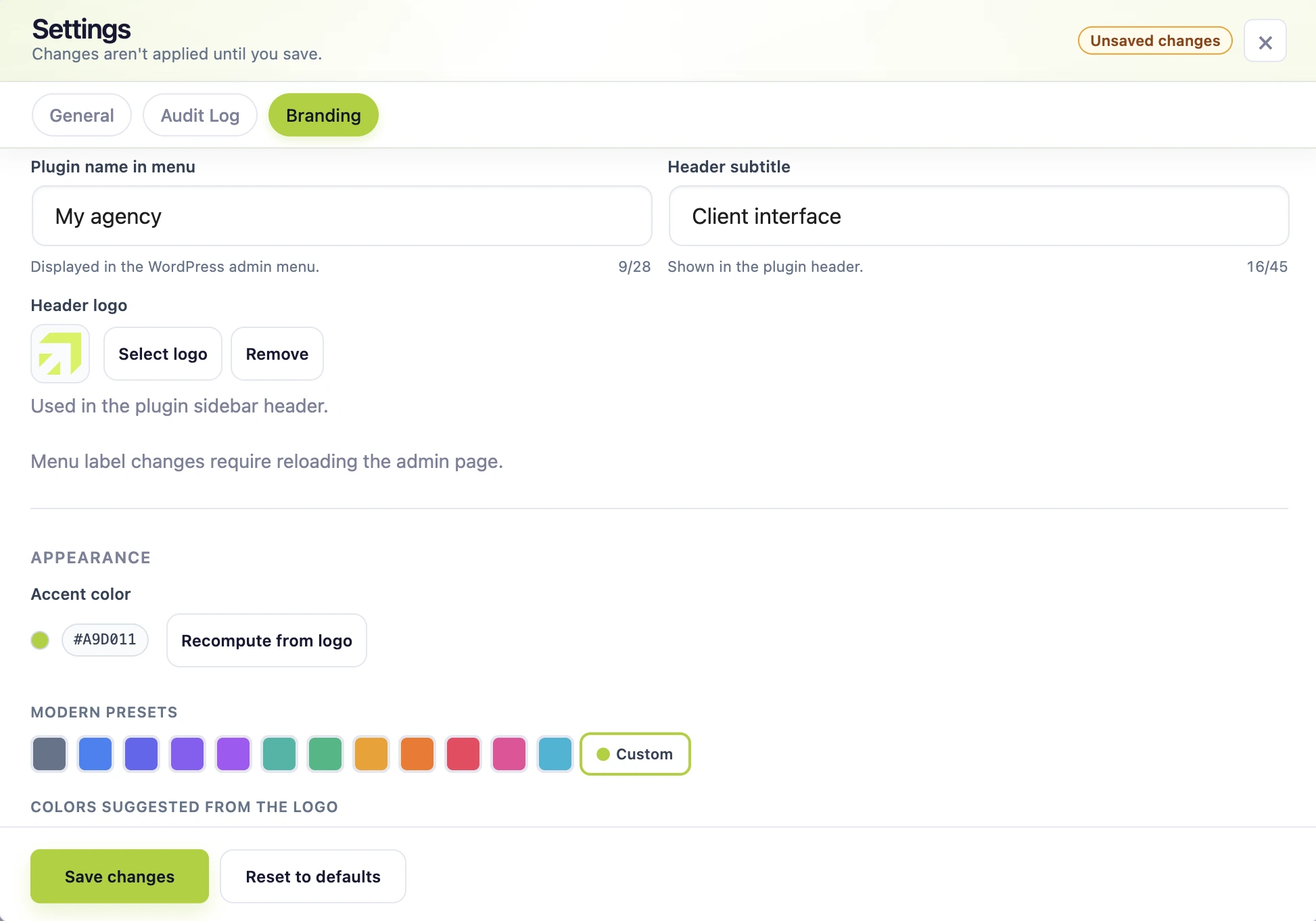
White-label setup: configure the visible editing experience to match the agency handover.
It aligns interface language with your process
The Editly menu label can match the name used in your handover materials, so the spoken instruction, screenshot, and wp-admin destination stay consistent.
It lowers accidental navigation into risky zones
Branding does not enforce access. Pair it with role-based editing so the visual route and the permission model support each other.
It reinforces agency authority without being rigid
A coherent screen signals that the editing experience was considered as part of the delivery—not left behind as a collection of plugins.
What Editly white label changes
White-label scope
The Editly menu label shown to users.
The editing header baseline and logo.
The primary accent color used in the Editly interface.
It does not rebrand all of wp-admin, remove WordPress or Elementor branding everywhere, or replace your agency’s broader admin-customization stack. Keeping that distinction clear prevents a Pro feature from becoming an overpromise.
A 4-step rollout for agency teams
1) Define the editing promise
State clearly: clients can update copy in wp-admin without touching Elementor layout controls.
2) Configure role boundaries
Use role-based access and document escalation rules for non-text requests.
3) Apply white label settings
Choose a short menu label, upload a readable logo, set the header baseline, and use an accent color with enough contrast. Then check the experience in a non-admin account.
4) Validate one real scenario
Test a same-day update scenario (headline + CTA swap) before final handover.
Pair white label with an operating policy
White label alone is not enough. Add a lightweight operating policy so clients know which requests are self-service and which are agency-managed. This keeps trust high while preventing scope drift.
Use the client’s language wherever Editly has a matching translation. The plugin ships with English plus German, Spanish, French, Italian, Dutch, Polish, Brazilian Portuguese, and European Portuguese interfaces. Branding is more convincing when the surrounding UI is also understandable.
When teams scale, add audit log only when contributor traceability solves a real coordination need, and validate broader stacks with third-party widget support.
Decision shortcut
If the client only needs supported native text editing and role-based builder restriction, start with Free. Choose Pro when the Editly screen itself should carry your label, logo, baseline, and accent—or when you also need audit history and broader widget coverage.
FAQ
Elementor white label handover FAQ
No. It customizes the Editly menu label, editing header baseline and logo, and primary accent color. It is not a full WordPress admin rebranding suite.
No. It improves orientation and coherence, but clear roles, task-based training, and an escalation path do the heavier operational work.
Yes, especially when delivering repeatable handovers across multiple client sites.
No. White label improves presentation, while permissions enforce operational boundaries.
When you need branded handover, accountability trails, or third-party widget support as part of delivery.
Yes. Keep one message: “Update text safely in wp-admin; layout decisions remain protected.”
Editly for Elementor
Turn safer editing into a stronger handover
Give clients useful autonomy while preserving the design quality and operating model behind your service.
By default, the site uses only necessary cookies and storage. With your permission, it can also remember preferences and measure audience activity with Google Analytics. Learn more.
Your Global Privacy Control signal was detected: optional storage remains disabled unless you explicitly choose otherwise.
Privacy
Manage my preferences
You can change or withdraw your permission at any time. Necessary cookies remain active to remember your choice and secure the service.
Necessary
Remember your privacy choice and enable essential functions.
Personalization
Remembers local preferences and adapts the experience to site usage.
Audience analytics
Allows Google Analytics only after your permission. Advertising use remains disabled.